










Alternative Translations with Selectors
Sometimes the same source phrase needs a different translation depending on where it appears. Alternative translations let you create another version of the phrase and use URL or CSS selectors to control where that version applies.
A CSS selector can target an element by its tag name (such as p or div), class, ID, or attribute.
For more information, see MDN’s CSS selectors guide or W3Schools’ CSS selector reference.
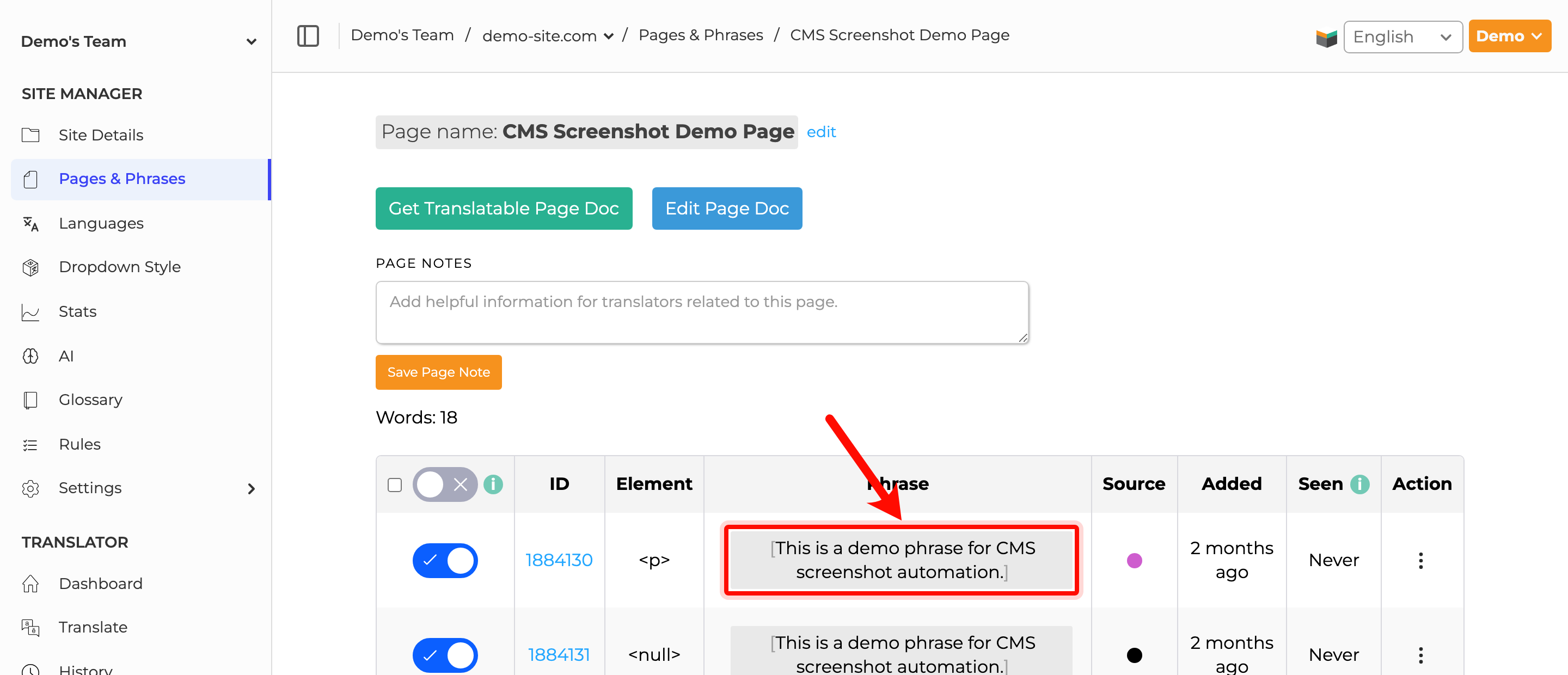
In SiteTran, find your phrase in the Site Phrases dashboard.
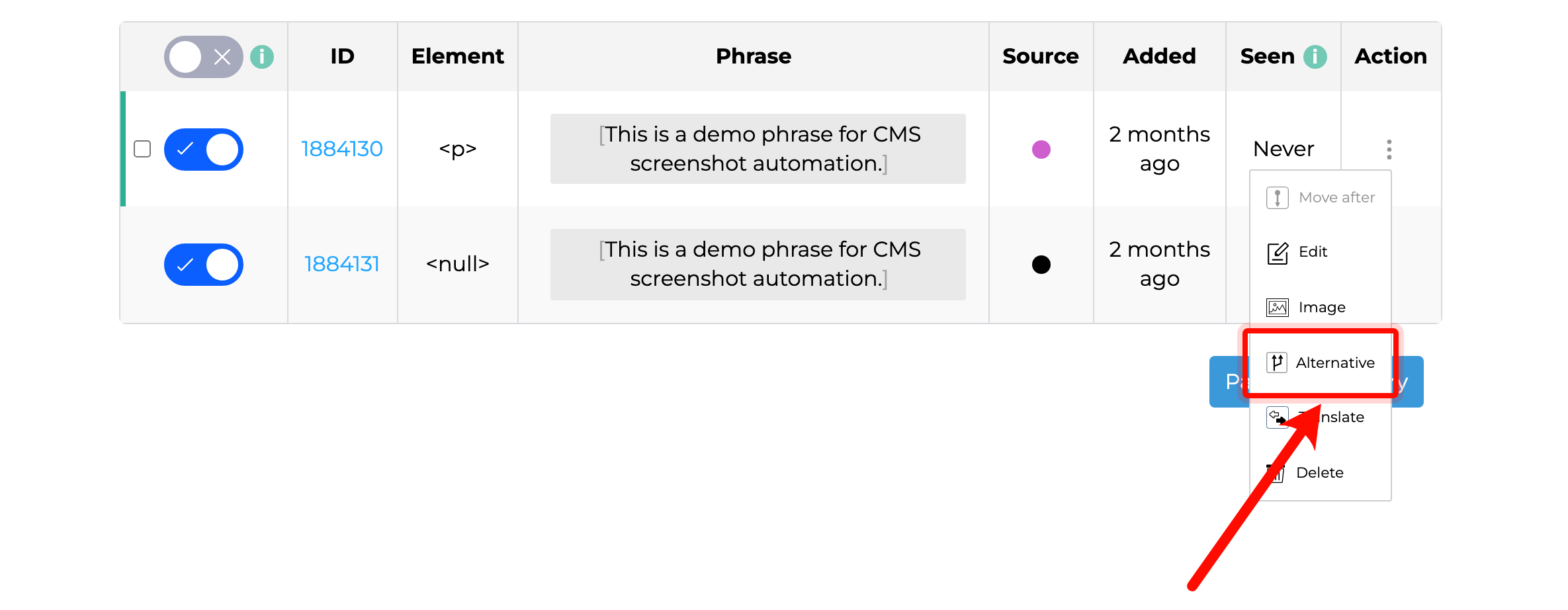
Click the three-dot menu to the right of the phrase, then select Alternative.
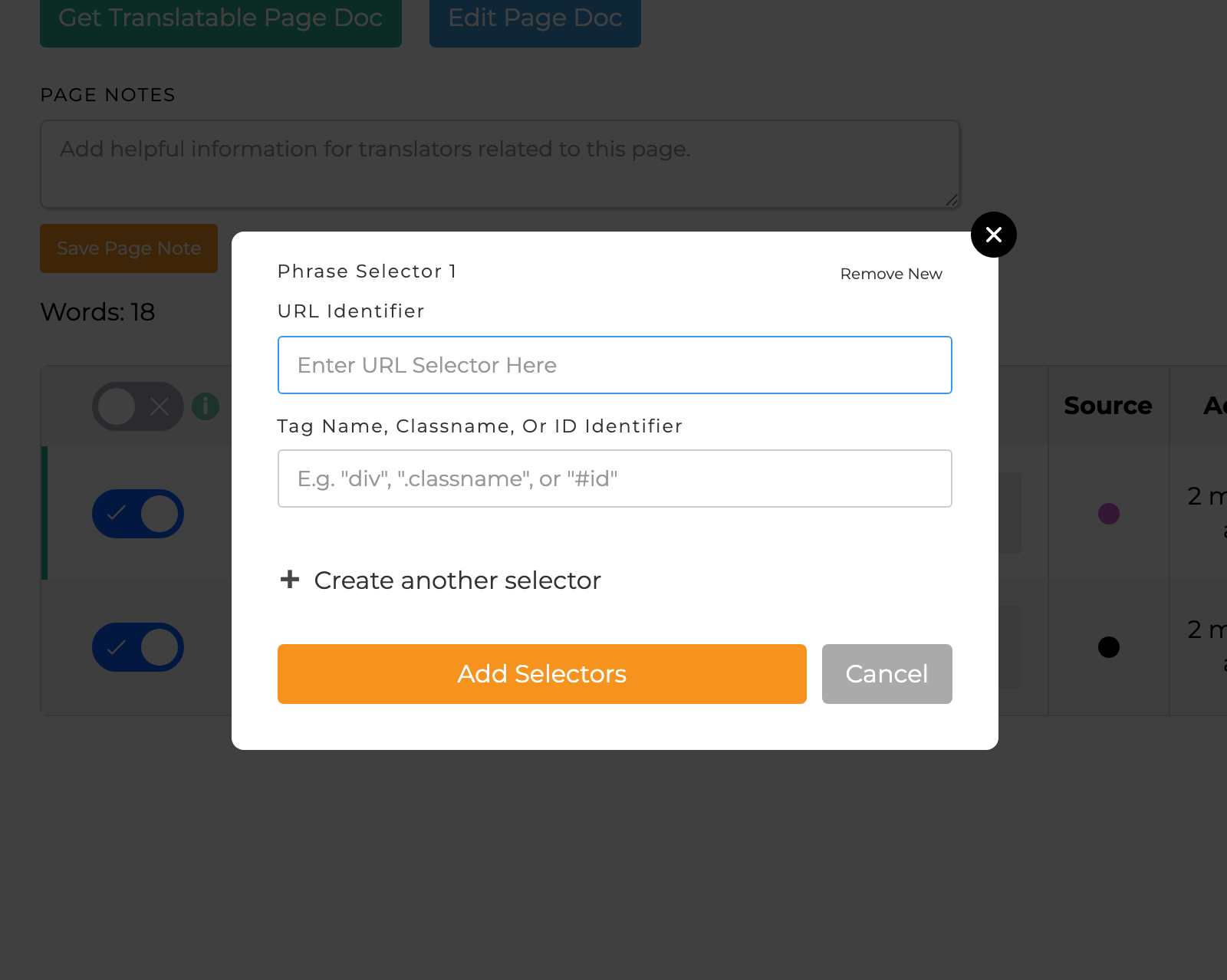
Add a URL selector, a CSS selector, or both. The URL selector matches the page where the alternative translation should apply, such as /alternative-translations. The CSS selector targets the specific element on that page.
When using a CSS selector, target the element that directly contains the text—not one of its parent elements.
Click Add Selectors. SiteTran creates a new phrase for the alternative translation and places it directly below the original phrase. Its source circle is black; hover over the circle to see “Phrase added with alternate translation.” The alternative also has its own phrase ID.
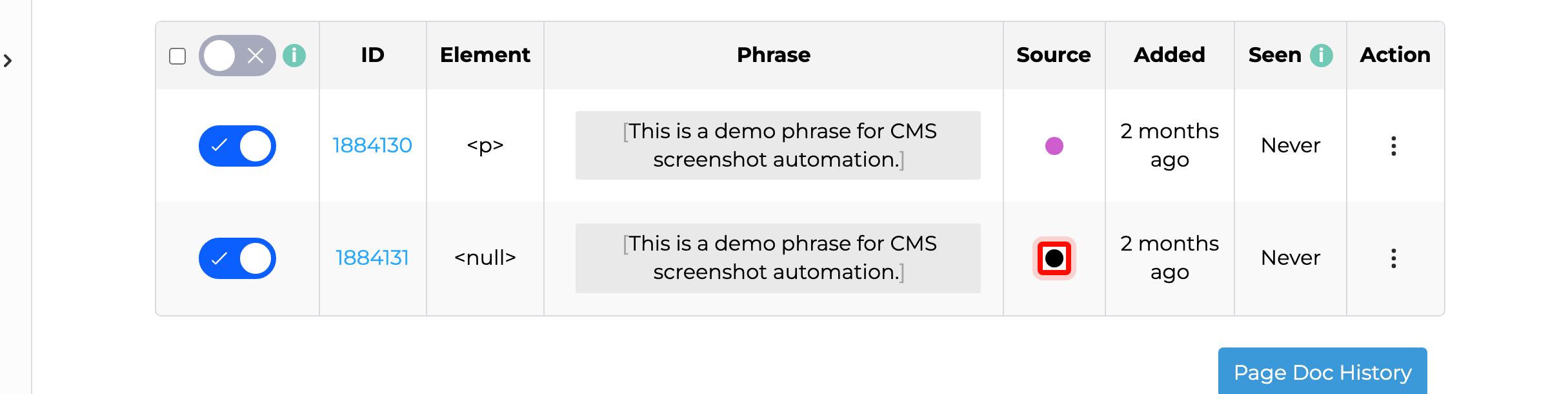
You can now translate the alternative phrase independently. The original phrase remains in SiteTran and continues to be used wherever the alternative phrase’s selectors do not match.
Important: CSS selectors cannot target an individual text node. If an element contains multiple text nodes and only one needs an alternative translation, wrap that text in its own element and give the element a unique class, ID, or attribute. This change must be made in your website’s HTML.
Example problem: The final text node cannot be targeted by itself.
<div>some text <div>in the middle</div> problematic text </div>Possible solution: Wrap the final text node in a span with a unique ID. For example, use id="alternate-translation-text":
<div>some text <div>in the middle</div> <span id="alternate-translation-text">no more problematic text</span></div>Then enter #alternate-translation-text as the CSS selector in SiteTran. The # tells the selector to match an element by ID. SiteTran can now apply the alternative translation to the text inside that span without targeting the other text in the surrounding div.